
What is double opt-in and should you turn it on?
The extra confirmation step that keeps your list clean — explained simply.
Double opt-in means a new subscriber must click a confirmation link in an email before they're added to your list and can receive your campaigns. Without it ("single opt-in"), they're added the moment they submit a form.
How it works in Mailbo
When double opt-in is on, anyone who signs up via a public signup form or your public API is added as pending. They get a confirmation email; only when they click the button do they become an active subscriber.
Important: manual adds, CSV imports, and webhook upserts bypass double opt-in — they're added directly. (A webhook can opt in to require confirmation too.) Double opt-in only gates your public signups.
Turn it on
- Go to Settings → Double opt-in.
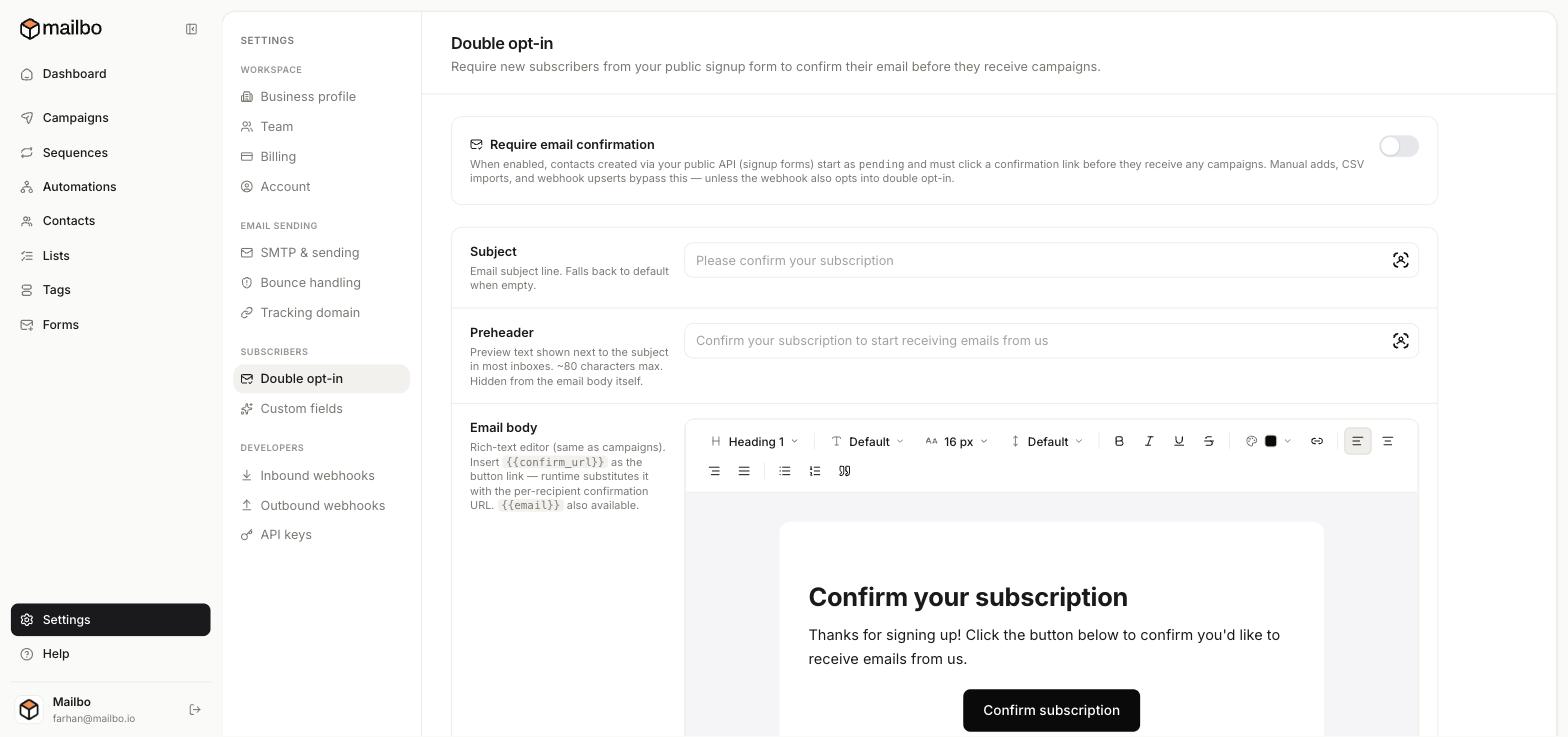
- Switch on Require email confirmation.
- Customise the confirmation email:
- Subject — e.g. "Please confirm your subscription."
- Preheader — the preview text shown next to the subject in the inbox (~80 characters).
- Email body — edit the message in the rich-text editor. The confirmation button must link to
{{confirm_url}}— Mailbo swaps in each person's unique link automatically. You can also use{{email}}.
- Save.
Should you turn it on?
Turn it on if:
- You want the cleanest possible list (only genuinely interested people).
- You're in a region where consent records matter (e.g. the EU).
Leave it off if:
- You want maximum signups and minimum friction (some people never click the confirmation).
A good default for most senders is on — a slightly smaller, confirmed list almost always out-performs a bigger unconfirmed one on opens and deliverability.
Next: Segment your audience