
Create an API key
Generate a token so your code can talk to Mailbo.
An API key is a secret token that lets your own code (or another app) make calls to the Mailbo API on your behalf. You'll need one before using any of the developer endpoints.
Create a key
- Go to Settings → API keys.
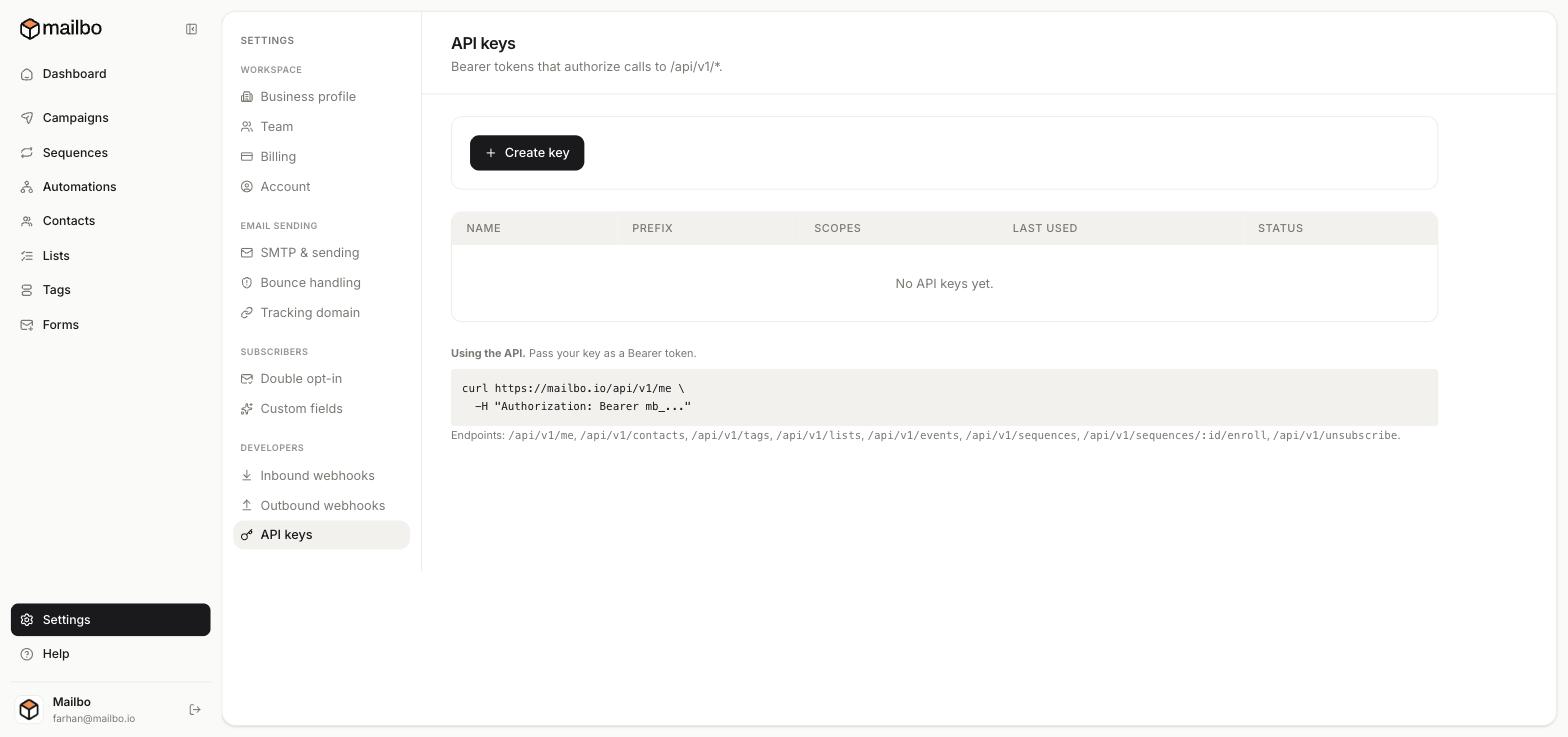
- Click Create key.
- Give it a name (so you remember what it's for, e.g. "Website backend") and create it.
- Copy the key now and store it somewhere safe — for security, the full key is shown only once.
The keys table lists each key's name, prefix, scopes, last used time, and status, so you can keep track and revoke any you no longer need.
How keys are used
Mailbo keys start with the prefix mb_. You pass the key as a Bearer token in the Authorization header of each request:
curl https://mailbo.io/api/v1/me \
  -H "Authorization: Bearer mb_..."
The /api/v1/me endpoint is a good first call to confirm your key works — it returns your workspace details.
Keep keys secret
- Never put an API key in front-end/browser code, a public repo, or a shared doc — anyone with it can act as you.
- Use it only in server-side code or trusted tools.
- If a key leaks, revoke it from this page and create a new one.
Still have a question?
Can't find what you need in this guide? We're happy to help.
Last updated 6/15/2026← More in Developers