
Set up an outbound webhook
Push Mailbo events to your own systems in real time.
An outbound webhook does the opposite of an inbound one: Mailbo notifies your system when something happens (a new subscriber, an unsubscribe, etc.), so you can keep other tools in sync.
Step 1 — Add the webhook
- Go to Settings → Outbound webhooks.
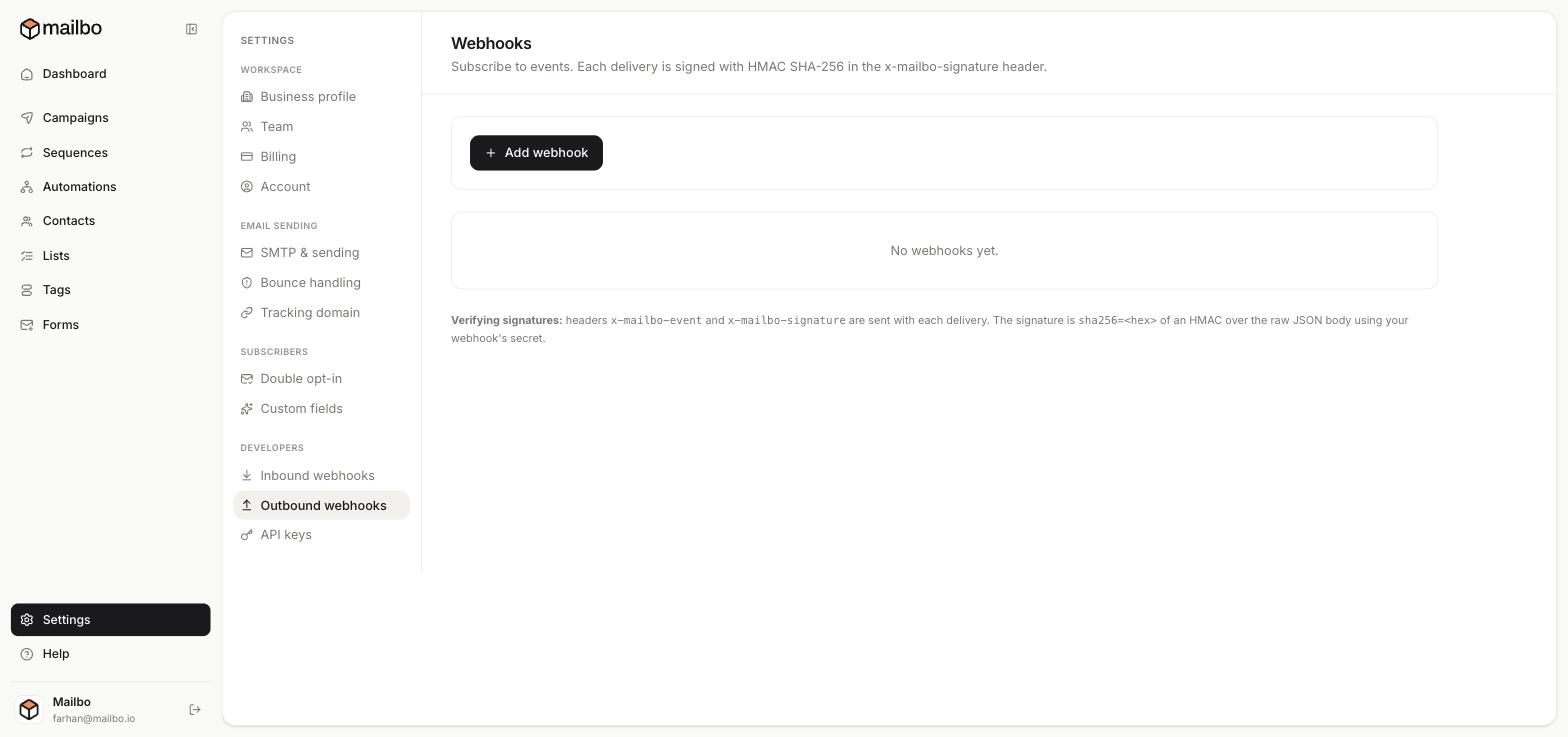
- Click Add webhook.
- Enter the URL on your server that should receive the events, and choose which events to subscribe to.
Each delivery is sent as JSON to your URL.
Step 2 — Verify the signature (important)
So you can trust that a request genuinely came from Mailbo, every delivery is signed:
- Mailbo sends two headers:
x-mailbo-event(the event type) andx-mailbo-signature. - The signature is
sha256=<hex>— an HMAC-SHA256 over the raw JSON body, using your webhook's secret.
On your server, compute the same HMAC over the raw body with your secret and compare it to the x-mailbo-signature header. If they don't match, reject the request. This prevents anyone from spoofing events to your endpoint.
Step 3 — Respond quickly
Your endpoint should return a success status fast (do heavy work in the background). Webhook senders generally retry on failure, so make your handler idempotent — safe to receive the same event more than once.
Use cases
- Mirror new subscribers into your CRM or data warehouse.
- Trigger internal alerts (e.g. post to Slack when a VIP unsubscribes).
- Keep a backup of events in your own database.
Next: Create an API key