
Manage your account and password
Change your password and view your sign-in email.
Your account settings are about you personally — the email and password you log in with — as opposed to your business or workspace settings.
Open account settings
Go to Settings → Account.
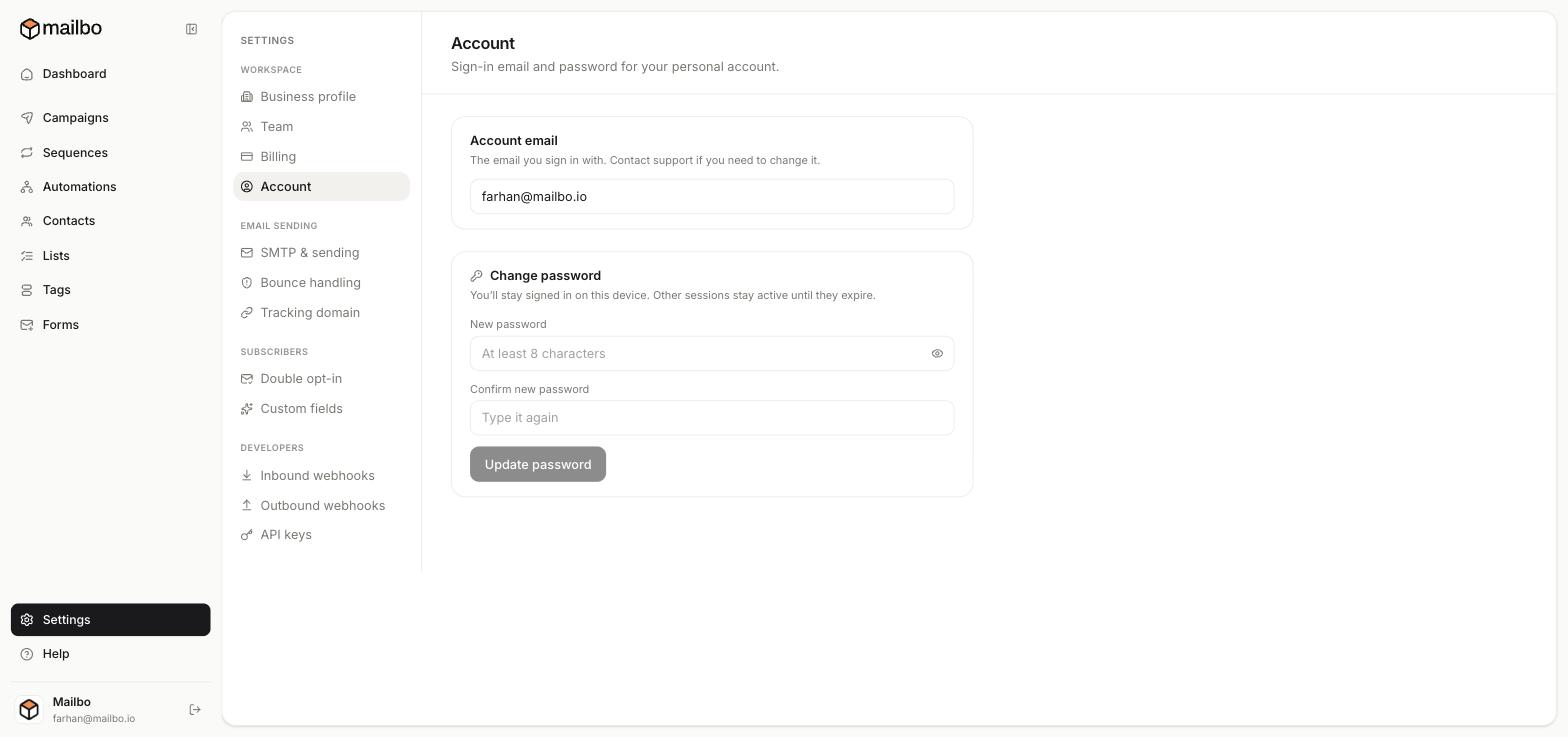
Your sign-in email
The Account email field shows the address you sign in with. For security, this can't be changed yourself — contact support if you need to change it.
Change your password
In the Change password box:
- Type a New password (at least 8 characters).
- Type it again in Confirm new password.
- Click Update password.
You'll stay signed in on this device. Other active sessions stay logged in until they naturally expire.
Tips for a strong password
- Use a long, unique passphrase you don't use anywhere else.
- A password manager makes this effortless and is the safest option.
Workspace vs account
Don't confuse the two:
- Account (this page) — your personal login, password.
- Business profile / Team / Billing — settings for the workspace, which a whole team may share.
Next: Invite a team member
Still have a question?
Can't find what you need in this guide? We're happy to help.
Last updated 6/15/2026← More in Account & Settings