
Build a welcome sequence
Create an automatic series that greets every new subscriber.
A welcome sequence is the highest-value automation most senders build: it greets every new subscriber, sets expectations, and warms them up — automatically, forever. Here's how to make one.
Step 1 — Create the sequence
- Click Sequences in the left menu.
- Click New sequence.
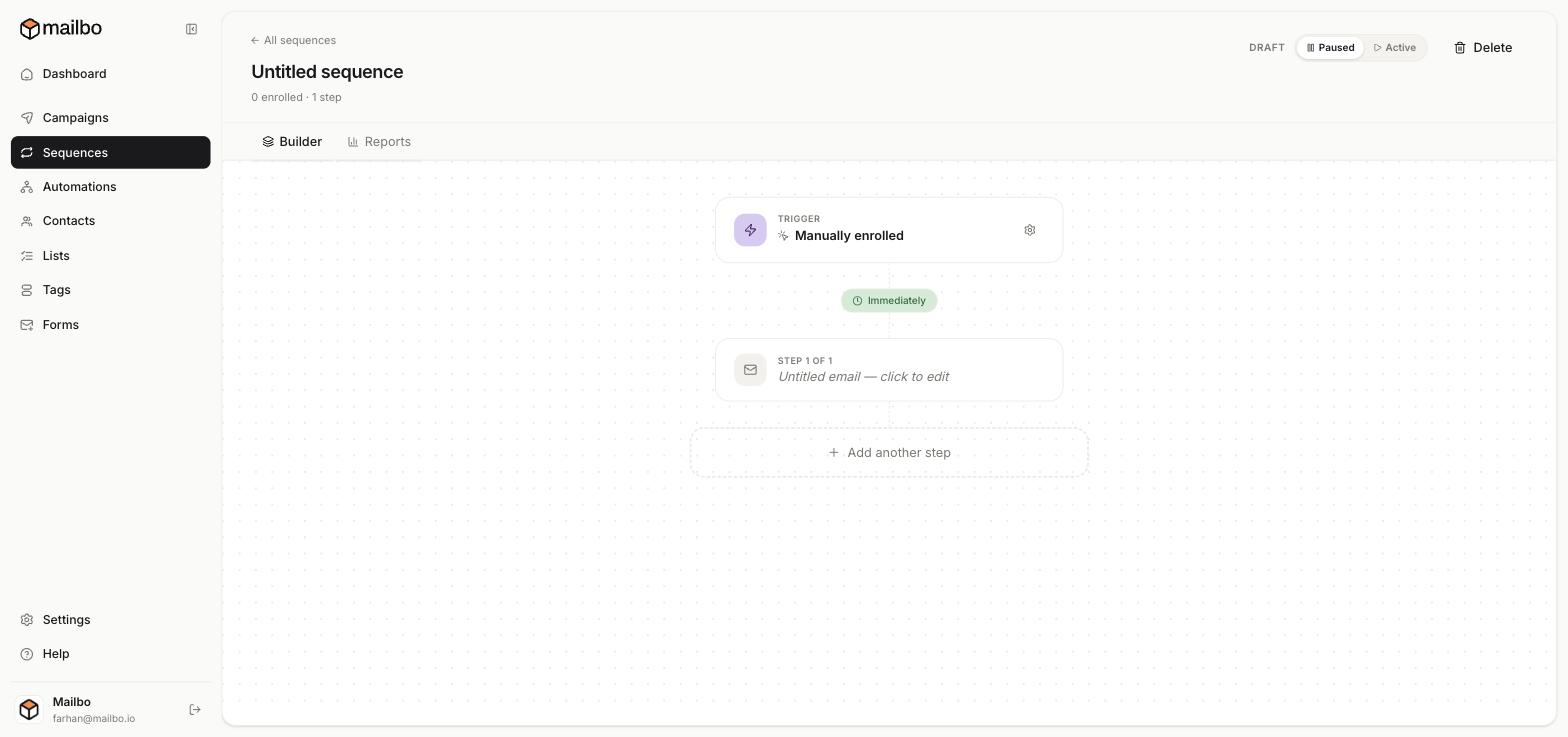
You land in the Builder, a vertical flow showing your Trigger at the top, then your steps. (There's also a Reports tab.) Give the sequence a name by clicking the title.
Step 2 — Set the trigger
The trigger decides who enters. Click the gear icon on the Trigger node and choose a Trigger type:
- Manual enroll — you add people yourself.
- Tag added — anyone who gets a certain tag enters.
- List joined — anyone added to a list enters.
- Signup — anyone who submits a chosen form enters.
For a welcome series, List joined (your Newsletter list) or Signup (your signup form) work well. Click Save trigger.
Tip: you can also start people on a sequence straight from a signup form's Enroll in sequence setting.
Step 3 — Write the first email
Click Step 1 ("Untitled email — click to edit"). Set its subject and write the body in the same editor you use for campaigns (slash commands, merge tags like {{first_name}}, buttons). The first step usually sends Immediately after someone joins.
Step 4 — Add more steps with delays
Click Add another step to add the next email. Each step has a delay before it sends — e.g. wait 2 days. A simple, effective welcome series:
- Email 1 (immediately): Welcome + what to expect.
- Email 2 (wait 2 days): Your best free resource or story.
- Email 3 (wait 3 days): A soft call to action.
Step 5 — Activate it
A new sequence starts as a Draft / Paused. When you're happy, flip the toggle at the top from Paused to Active. Only then will people actually start receiving it.
Test by enrolling yourself manually first, and confirm each email arrives as expected before switching it on for real subscribers.
Next: Manage sequence steps